
Care Circle
Independent, but never alone.
A missed check-in system for older adults living alone. One small daily signal, and a trusted circle of friends, family, and neighbors who only hear from it when something changes.
Independent, but never alone.
A missed check-in system for older adults living alone. One small daily signal, and a trusted circle of friends, family, and neighbors who only hear from it when something changes.
Where this came from
A family friend's mother is in her nineties and lives on her own. Her son lives across the street. Every morning when she gets up, she hangs a towel on her door.
When he sees it, he knows. No camera, no tracking, no phone call she has to remember to make.
The towel is a simple product solution.
Everything after this is an attempt to keep it that simple.
The problem
When an older adult lives alone, a missed routine or unusual silence can pass without anyone realizing something may be wrong.
About a third of adults 85 and older live by themselves, most in a home they have had for decades.
Medical alert systems exist. Adoption stays low, because wearing one is a daily announcement that independence is over.
A fall becomes far more dangerous once someone has been on the floor about an hour. That window is the design problem.
Figures from the AgeTech SF Hackathon research packet, 2026.
What I heard
I spent time with older adults at the Richmond Senior Center. The thing that stopped me was how well they tracked each other. They knew who normally came to lunch. They knew who had not shown up that week, and usually why.
A quiet informal check-in network was already running. Nobody had given it a way to do anything.
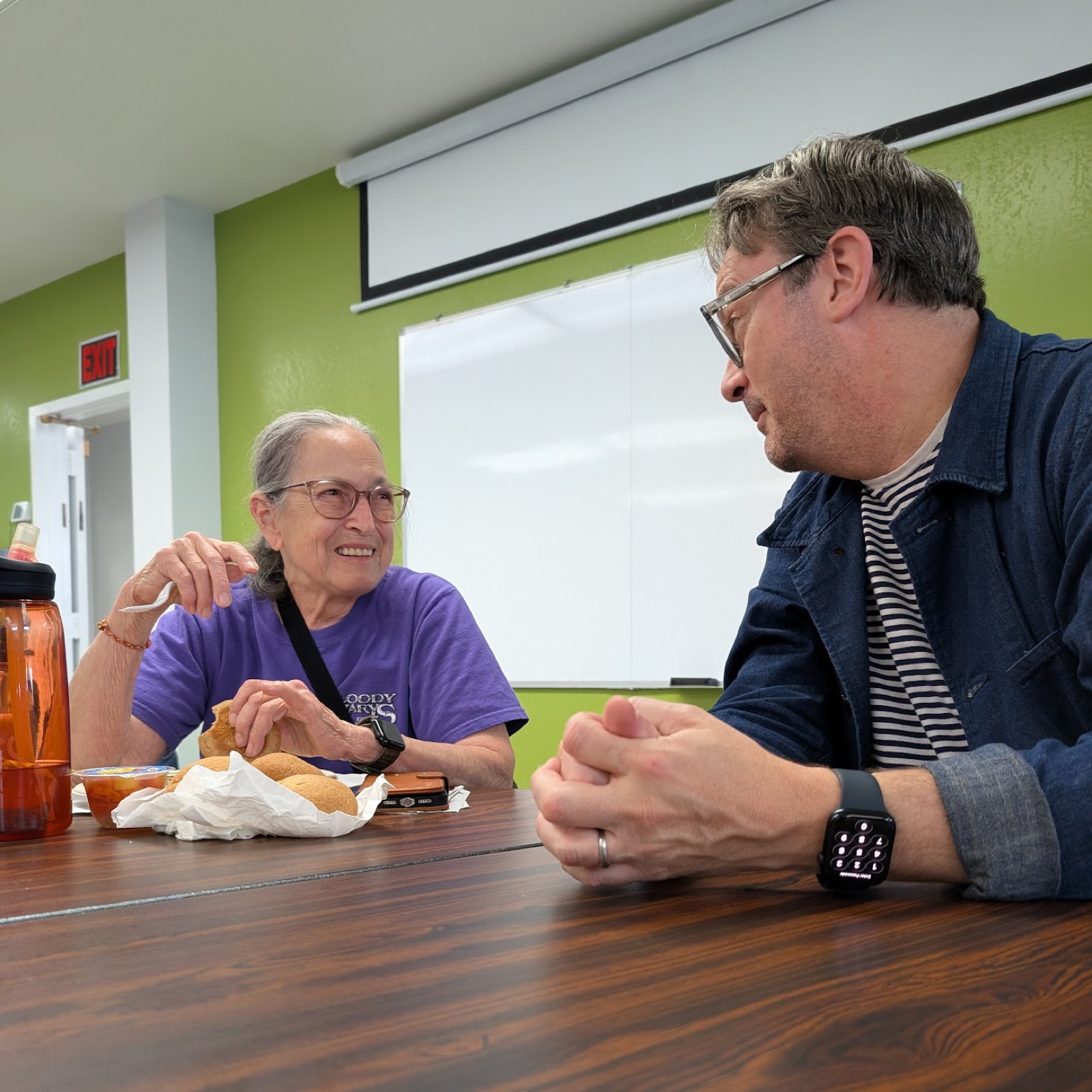
Absence is already visible. Communities notice. The gap is permission, not attention.
Age was not the variable. A circle can be a neighbor in their twenties and a friend in their seventies. The variable is trust.
The circle has to exist before the emergency. You cannot build trust during a crisis. If the relationships are not already there, a button does nothing.
The care circle needs to exist before the emergency.
How the project got here
This started as a project about intergenerational connection: dinners, recipes, invitations, a way to bring generations around the same table. It was warm, but too broad.
Then I swung toward safety technology: floor sensors, wearables, fall detection. The problem got sharper, but the solution got more invasive.
The turning point was realizing that trust mattered more than age, and independence mattered more than detection.
Meet Margaret
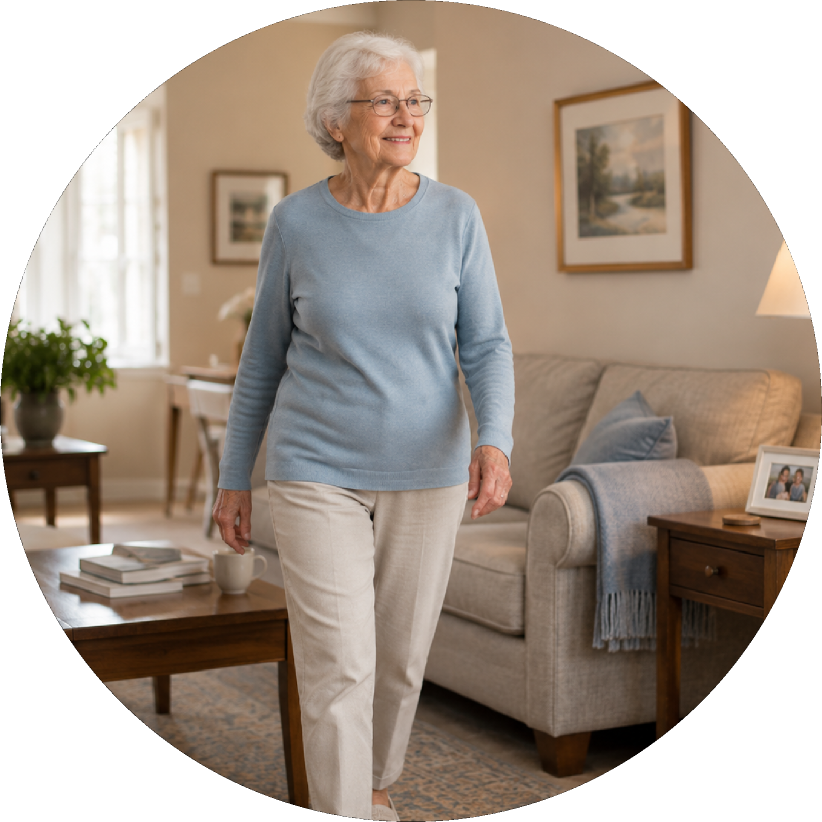
Margaret is 82 and lives alone in the house she has been in for forty years. She values routine, privacy, and doing things herself. She has people who care about her. What she does not want is to be monitored, managed, or treated as a burden.
Every screen on this page was decided against her. If it would have made Margaret feel watched, it did not ship.
How might we help older adults stay independent while making sure someone notices when something feels off?
How might we make asking for help feel dignified?
How might we design support that feels domestic, not medical?
The system
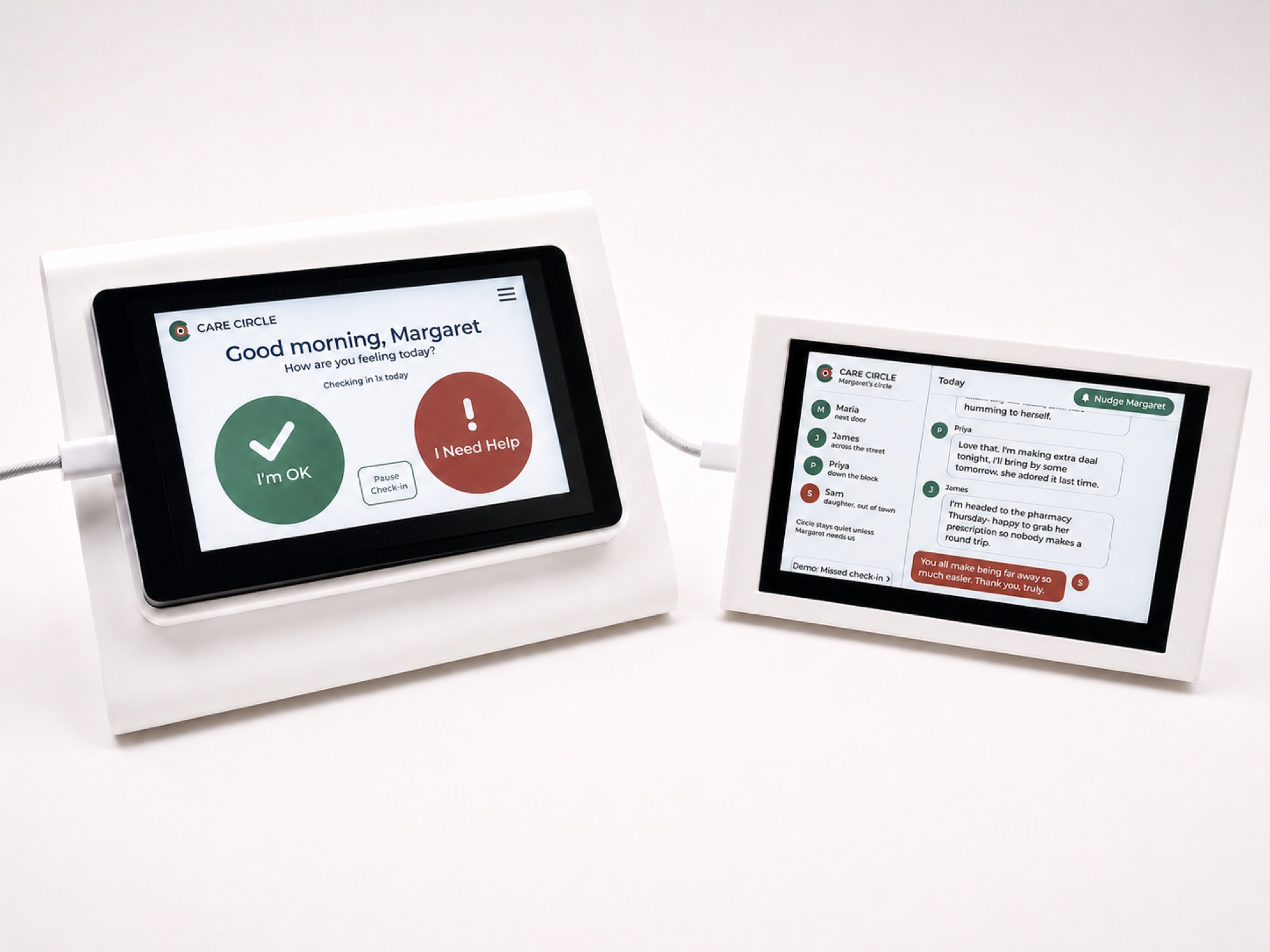
Margaret checks in once, twice, or three times a day, whichever she chooses. If she taps I'm OK, the system stays quiet. Nobody is notified that she is fine, because a product that reports her good days is a product that reports on her.
Her circle hears from it in exactly two situations: she asks for help, or a check-in is missed.
The default state of this system is silence. That is the feature, not a gap in the spec.
The invitation
The real first screen of this product is not a screen. Margaret has to decide who she trusts, and ask them. So I designed the invitation as three things she can actually send: a text, an email, and a postcard for the neighbor who uses neither.
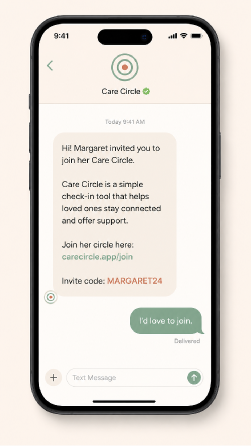
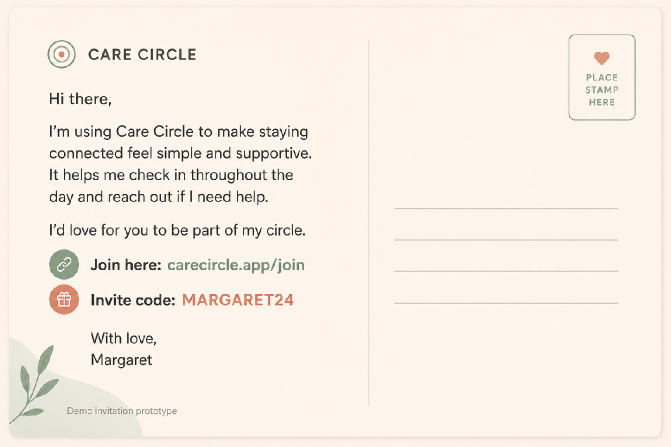
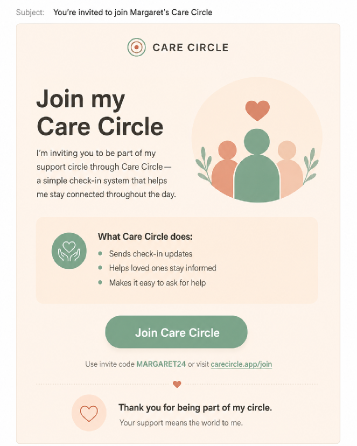
Each one is written in her voice, not the product's. She is asking a favor, not enrolling in a service. This is the piece of the original dinner project that survived. An invitation is the moment a relationship becomes intentional.
Margaret's device
It sits on a table like a bedside clock. It greets her by name, asks how she is feeling, and then gets out of the way. No feed, no score, no history of her habits. The enclosure references an alarm clock and a picture frame on purpose. Nothing about it should read as medical equipment.
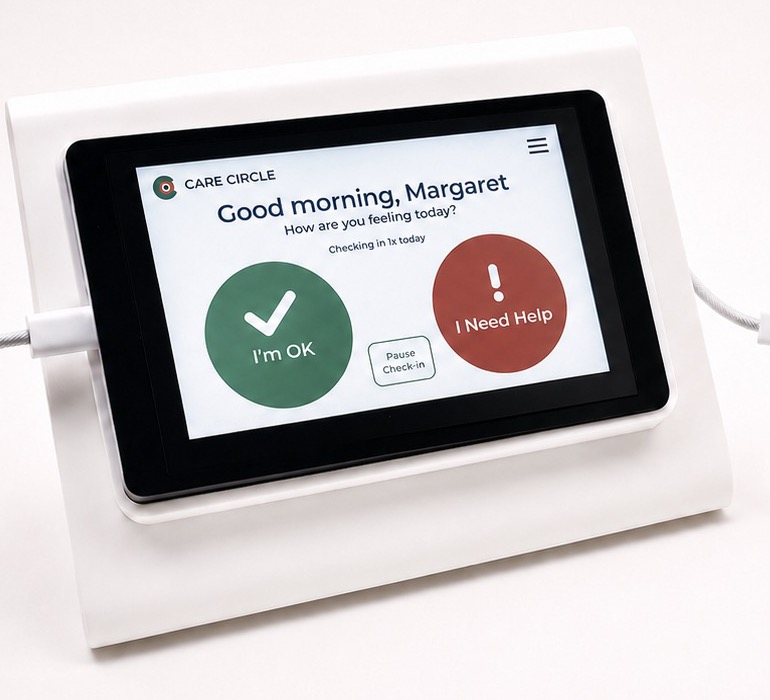
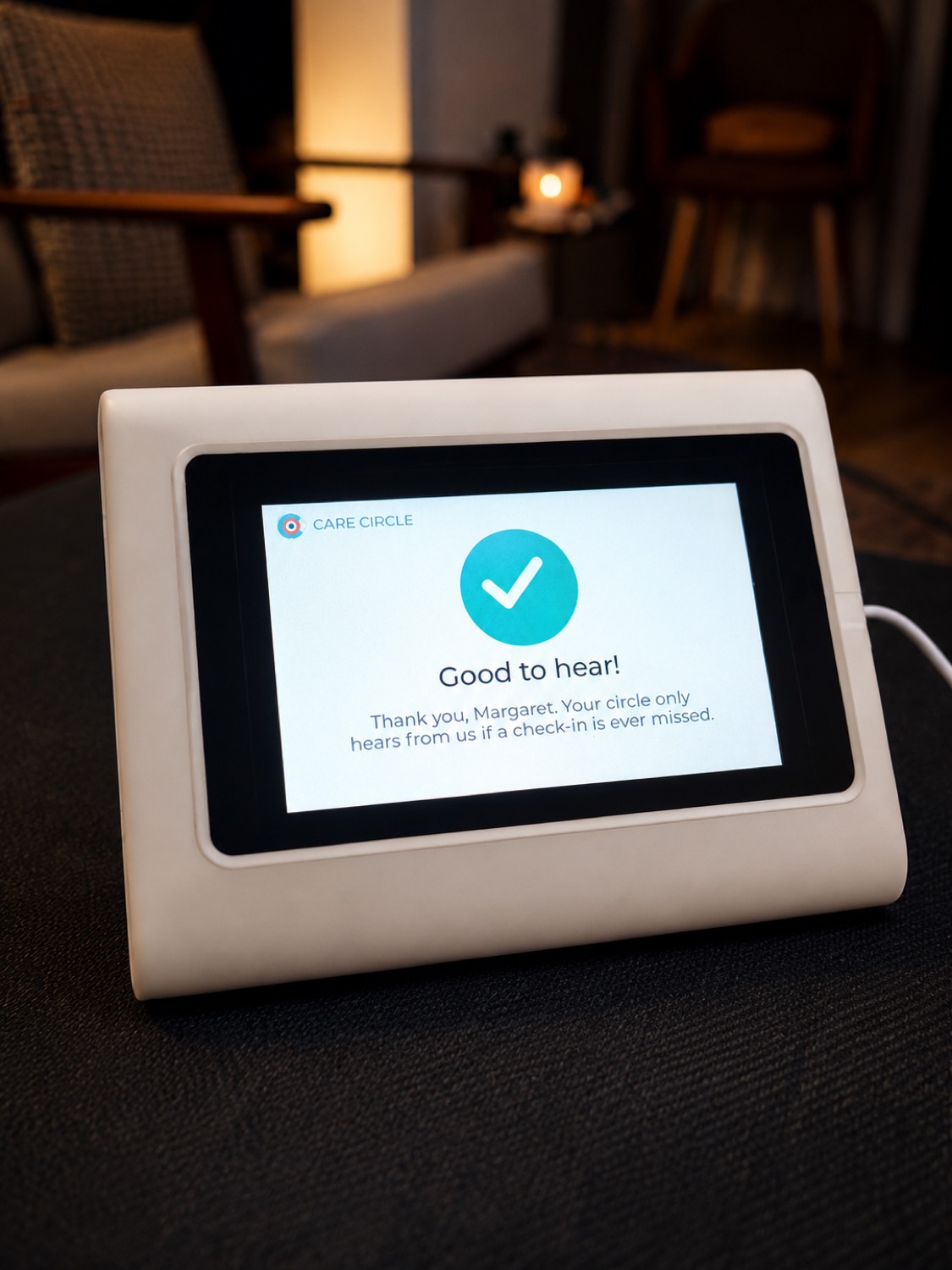
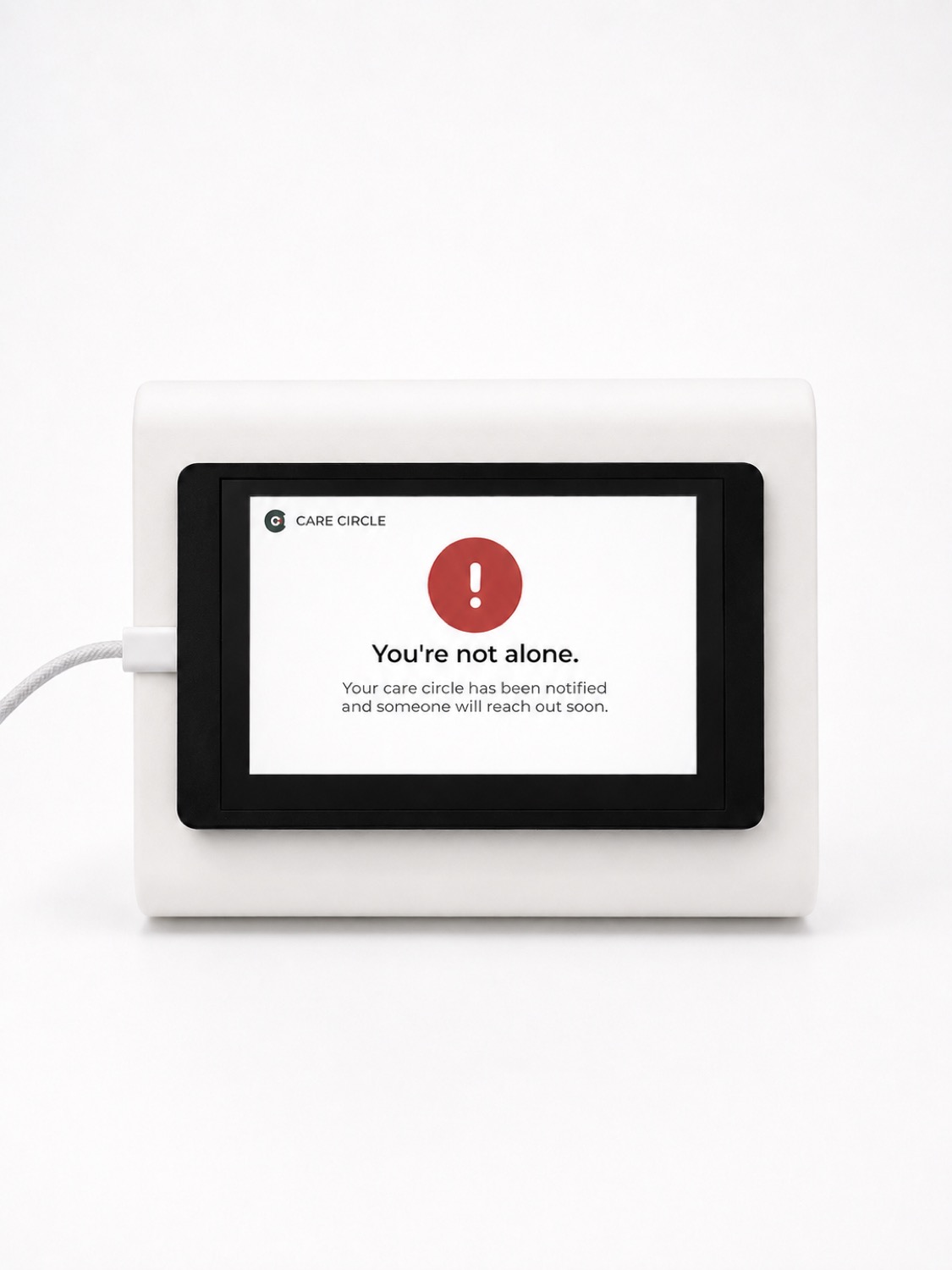
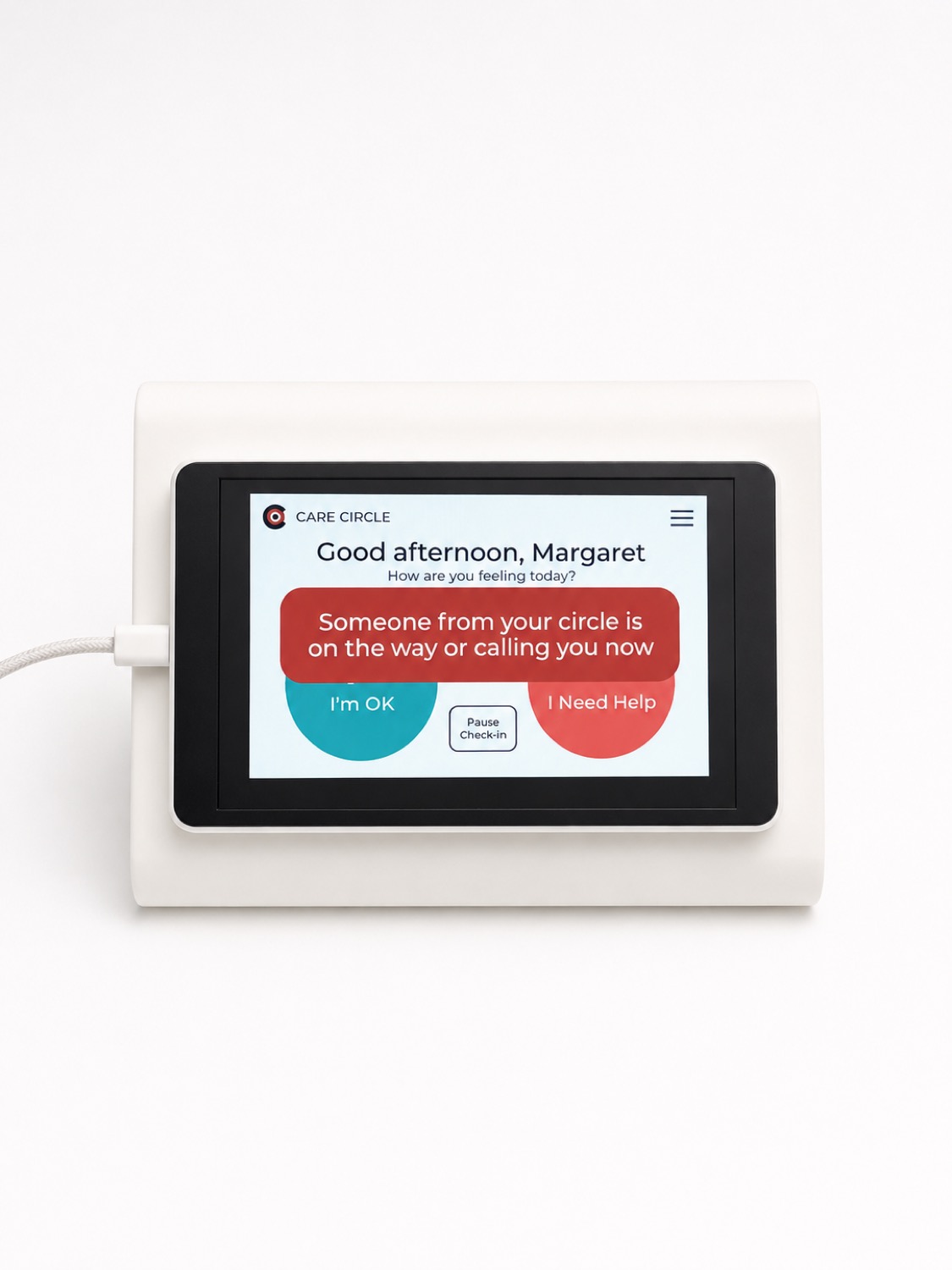
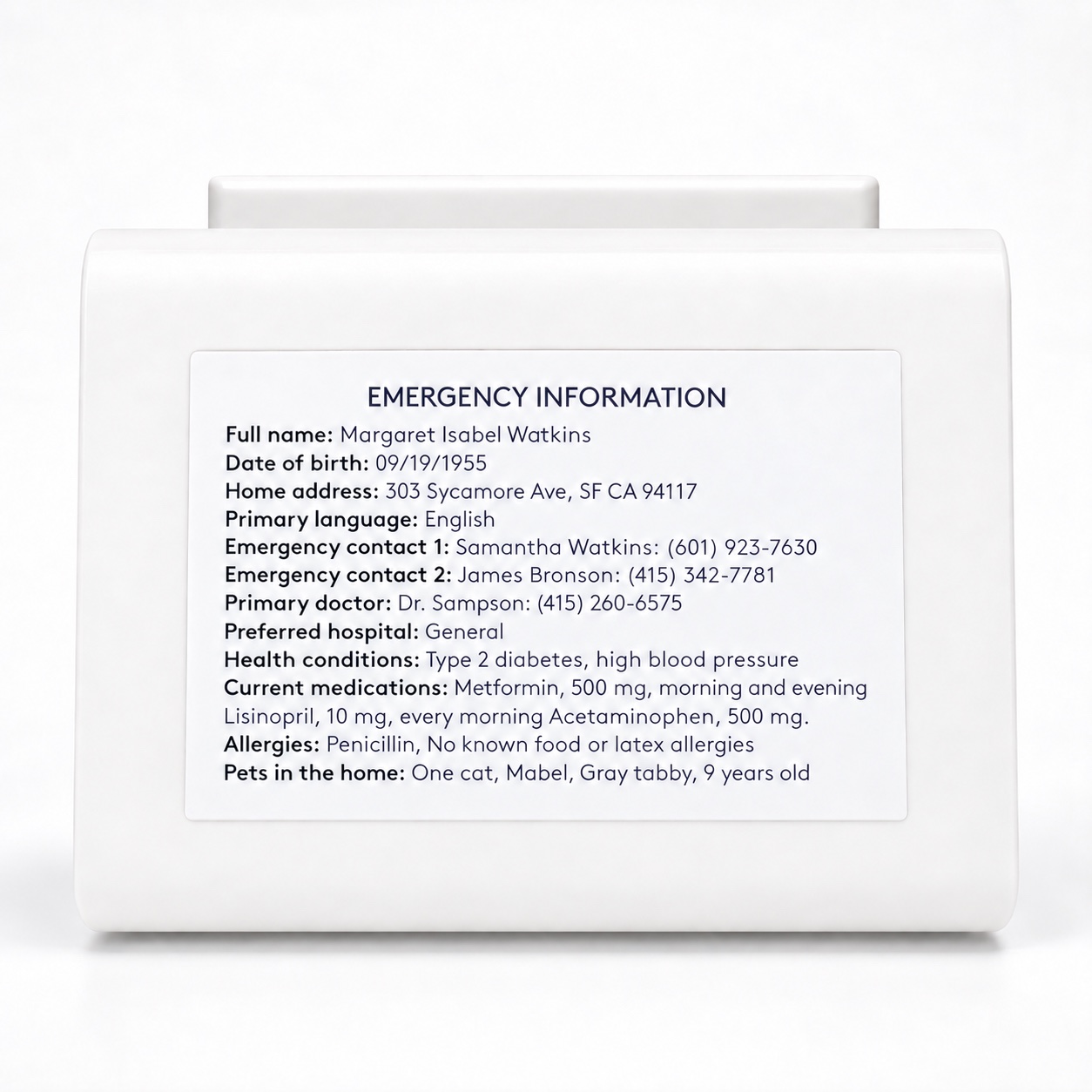
One thing that is not on the screen itself. I designed a printed emergency information card that attaches to the back of the enclosure, listing contacts, doctor, conditions, medications, allergies, and pets. If a paramedic is standing in Margaret's living room, the useful information should be on the object, not behind a login.
The object
The first prototype still felt too much like a piece of tech.Even with a simple interface, the screen and enclosure made it feel closer to an assistive device than something Margaret would naturally keep on a bedside table or kitchen counter.
Make it familiar before making it smart.I redesigned the form around everyday objects like an alarm clock or picture frame, something quiet, recognizable, and comfortable in the home. It should feel like it belongs to Margaret, not like it was prescribed to her.
Iteration
One sentence on the confirmation screen
Thank you, Margaret. Someone is watching over you.Warm on the surface and wrong underneath. It makes her the object of the system and implies a feed of her behavior that somebody is sitting and reading.
Thank you, Margaret. Your circle only hears from us if a check-in is ever missed.The same screen, now stating the privacy rule as a comfort, at the moment she most needs to hear it.
Pause, which the first concept did not have
The first concept assumed Margaret was home.She is not. She shops, she walks, she visits friends, she goes to appointments. Every one of those was a missed check-in waiting to happen.
Pause check-in, on the home screen, one tap away.Without it the system's first real-world behavior would have been crying wolf about a woman who went to the store, and alert fatigue would have killed the circle's willingness to respond within a week.
The other side
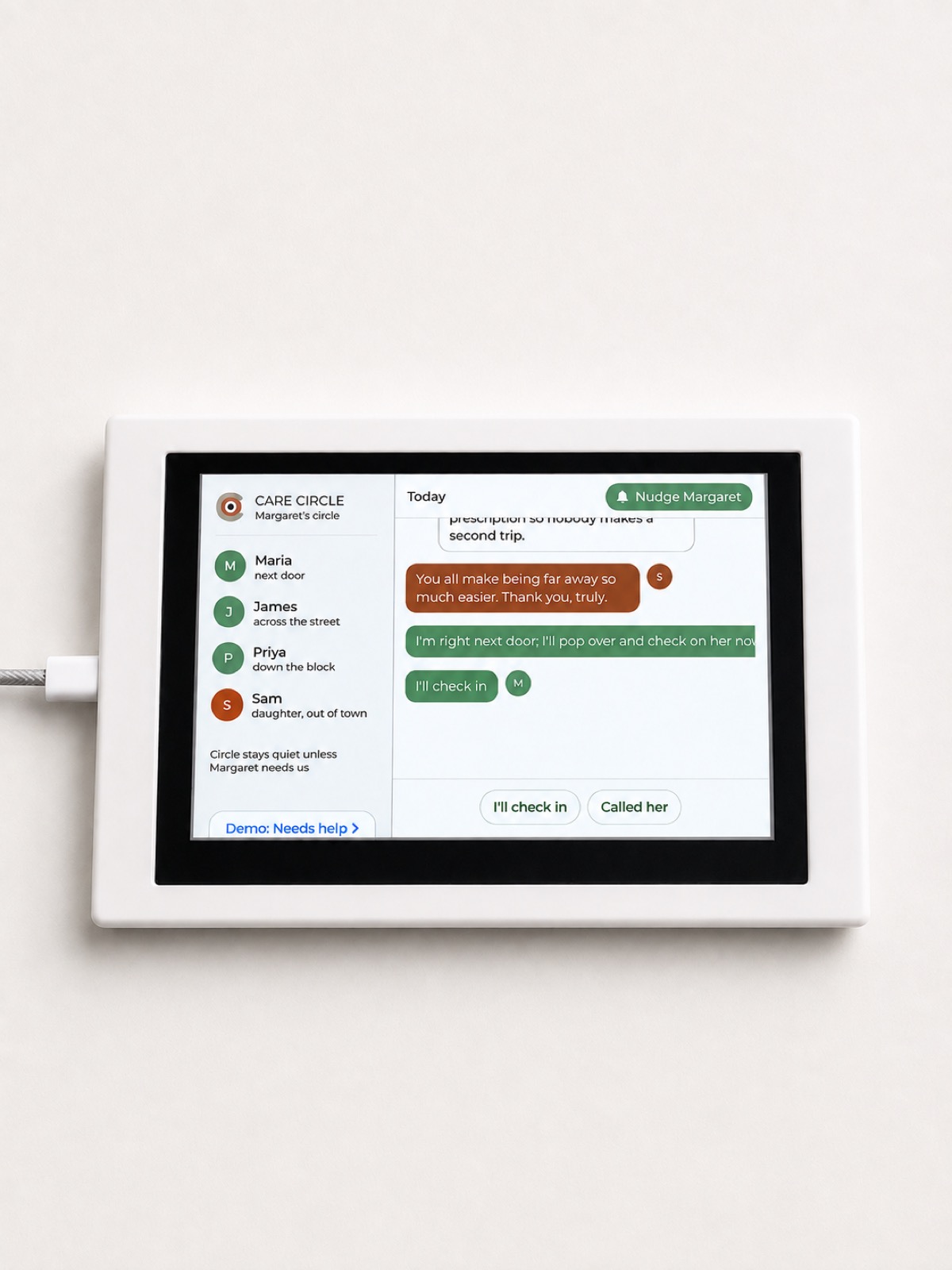
So the second half of the system is the circle's. Most of the time it is a warm message board. Maria mentions she is making extra food. James is headed to the pharmacy. It is a neighborhood group chat that happens to know when something is wrong.
When a check-in is missed, one card rises to the top: we have not heard from Margaret today. Members claim a response rather than assuming someone else has. Nobody has to guess whether a neighbor already went.
Margaret's daughter gets a phone view of the same circle. She cannot be the one who walks over, and pretending otherwise would be the wrong design.
Her view is calm by default and shows her nothing on an ordinary day. What she can do is thank people, and that turned out to be the interaction that keeps a circle willing to show up next time.
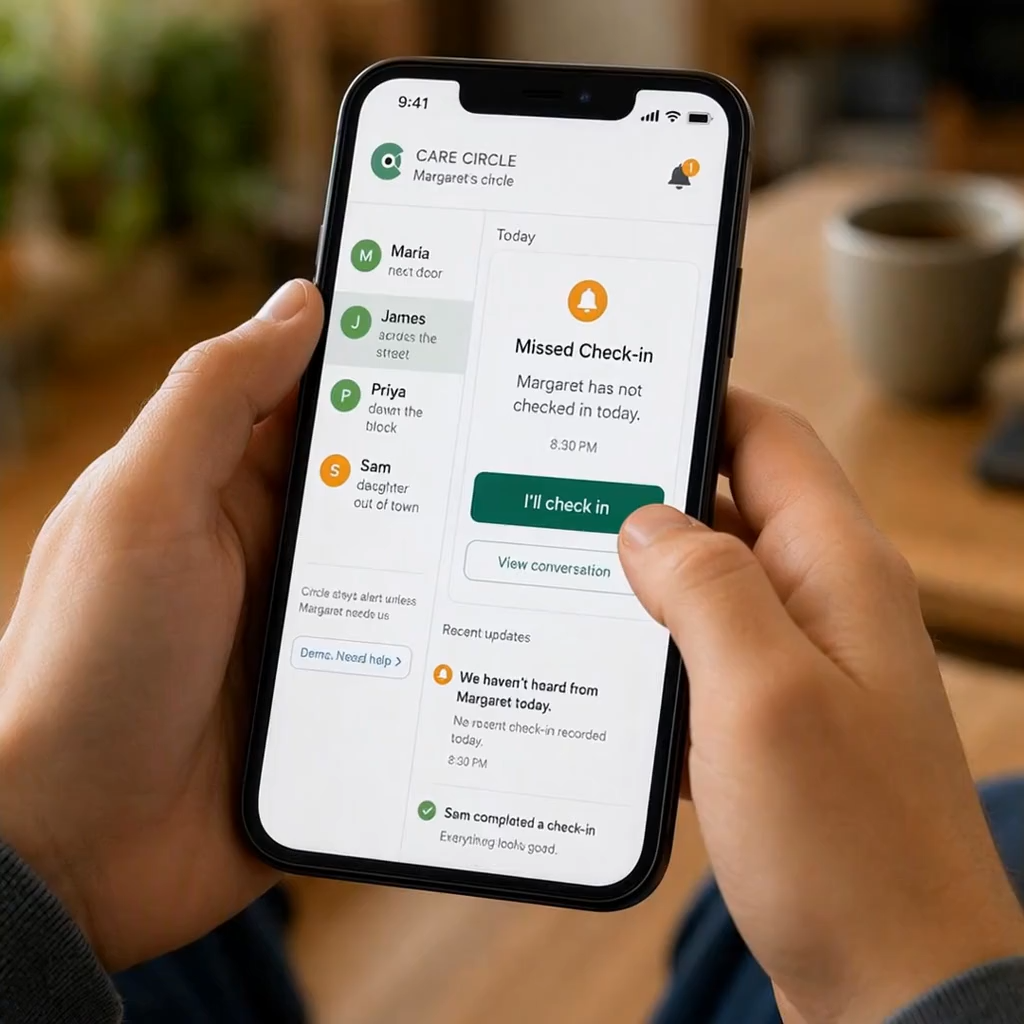
Circle stays quiet unless Margaret needs us.
Printed in the interface itself, on the left rail of the circle board.
Building it for real
I used AI-assisted coding to move quickly from interface concepts to working interactions on two ESP32-S3 touchscreen devices.
For the prototype, the two devices communicate directly over short-range radio. That means a tap on Margaret's device immediately updates the Care Circle device without relying on Wi-Fi, an app, or a cloud service.
The hard part was getting the software and hardware to cooperate. I worked through display-driver conflicts, firmware issues, missing libraries, touch and display mismatches, and multiple rounds of debugging before the system became reliable.
What mattered was being able to keep designing while the technology was still unresolved.
Direct radio was the right choice for a live demo because it made the interaction immediate and self-contained. A real product would need a networked service so the circle could respond from another home, neighborhood, or state.
What I learned
The older adults I spoke with were not most afraid of falling. They were afraid of becoming a burden, of losing privacy, of being treated differently because of their age. A system that trades one fear for another has not helped.
The trusted network around it was. Once I understood that, the invitation, the enclosure, and the emergency card behind it all became part of the same design.
Care Circle cannot know what happens to Margaret, and it should not try. It makes a change in routine visible so a person can do something about it.
Those mattered here and drove real decisions about size and contrast. But the harder accessibility problem was dignity: designing something a proud woman would agree to keep on her table.
Where it stands
Two devices work. I presented Care Circle on-site at IDEO for my graduate Social Lab final, and showed it publicly at the CCA demo show with both devices running live. Everything below is what it would take to make a claim about whether it actually helps anyone.
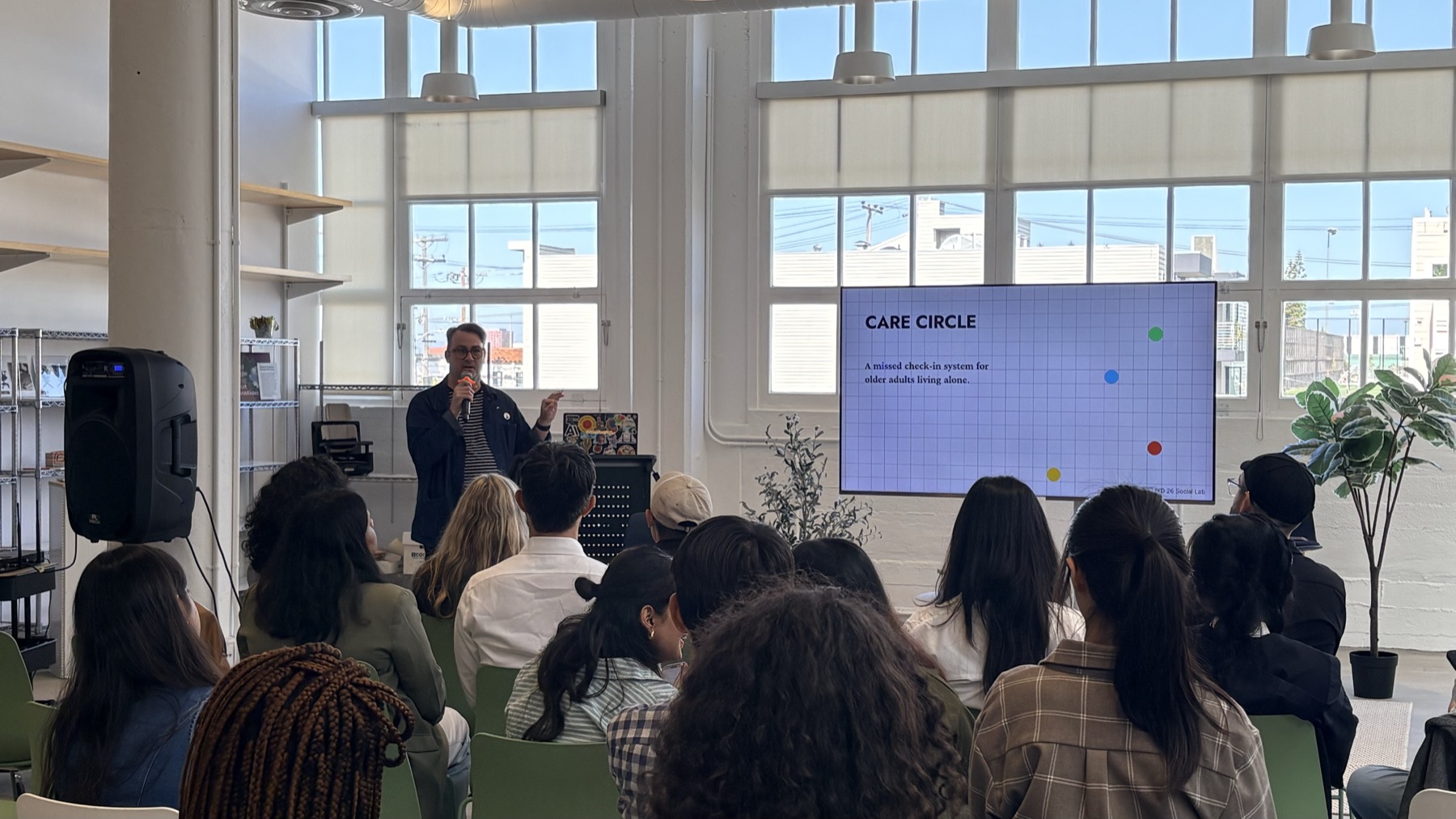
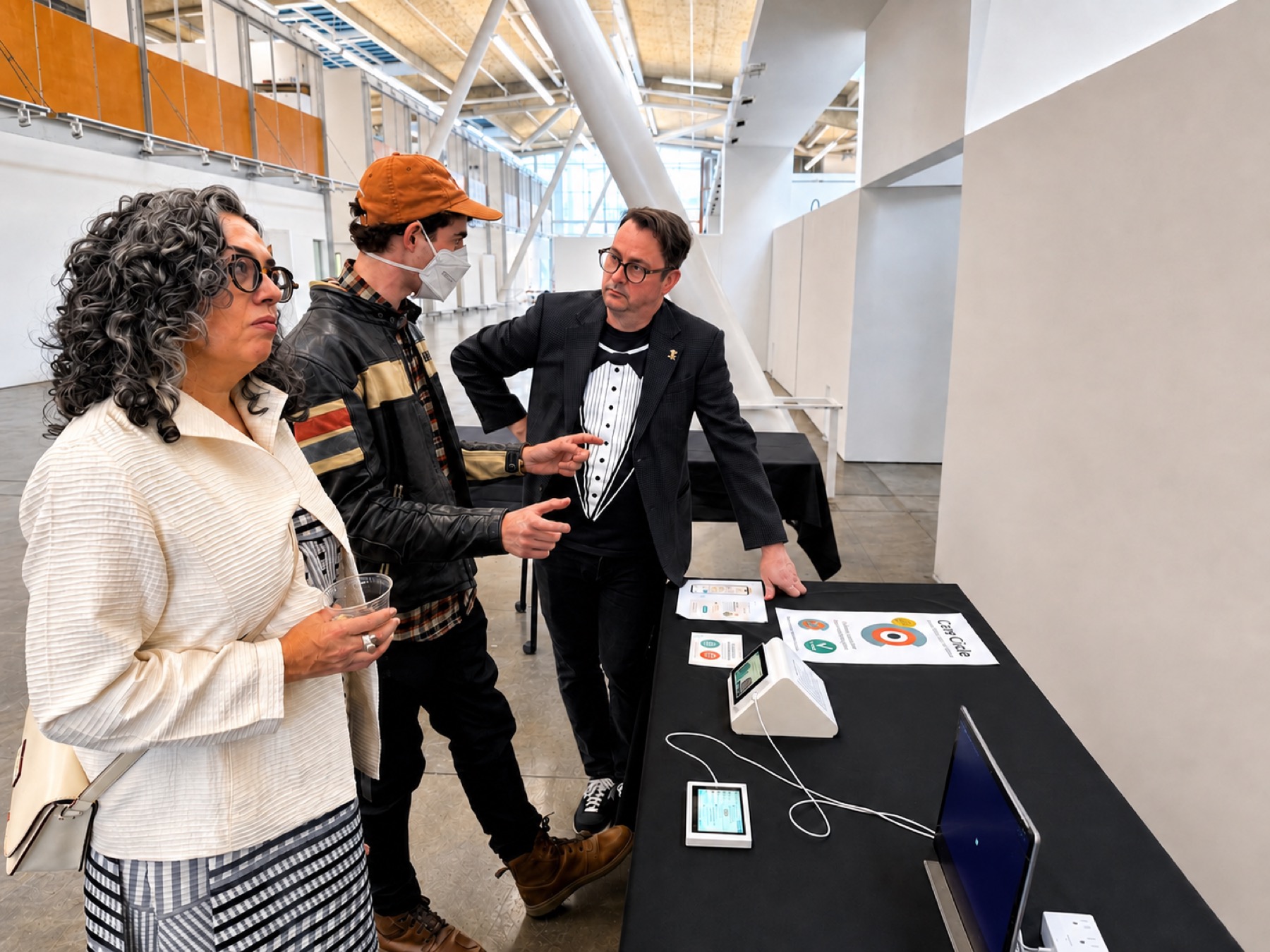
This is an exploratory graduate prototype. It is not a medical device, it does not detect falls, and it does not guarantee that anyone responds.
Care Circle does not detect every emergency. It creates a small ritual where absence becomes visible.
Independent, but never alone.